
Key takeaways
- The Analytics tab in YouTube Studio has been renamed Insights across desktop, mobile and the YouTube TV Studio app.
- Reports are regrouped into four new sections: Reach, Engagement, Audience and Revenue: replacing the older Overview / Content / Audience / Research layout.
- The rollout began July 28, 2026 and reaches all channels globally by August 30. Some larger channels see it first.
- Bookmarks and browser tabs pointing to the old
/analyticsURLs still work, they redirect automatically to/insights. - No historical data was lost; every existing report can still be exported, and the underlying metric definitions are unchanged.
YouTube renamed the Analytics tab to Insights and reorganized YouTube Studio's core reports across desktop, mobile and TV starting July 28, 2026. The metrics are the same: but their locations, groupings and default visualizations changed Here's the full walkthrough for creators
What's new: the rename and the redesign
YouTube announced the update in a July 28, 2026 support post and a YouTube Creator Insider video the same morning. The change has two layers: a cosmetic rename ("Analytics" → "Insights") and a structural redesign that regroups reports around what creators do with the data instead of the old chronological layout.
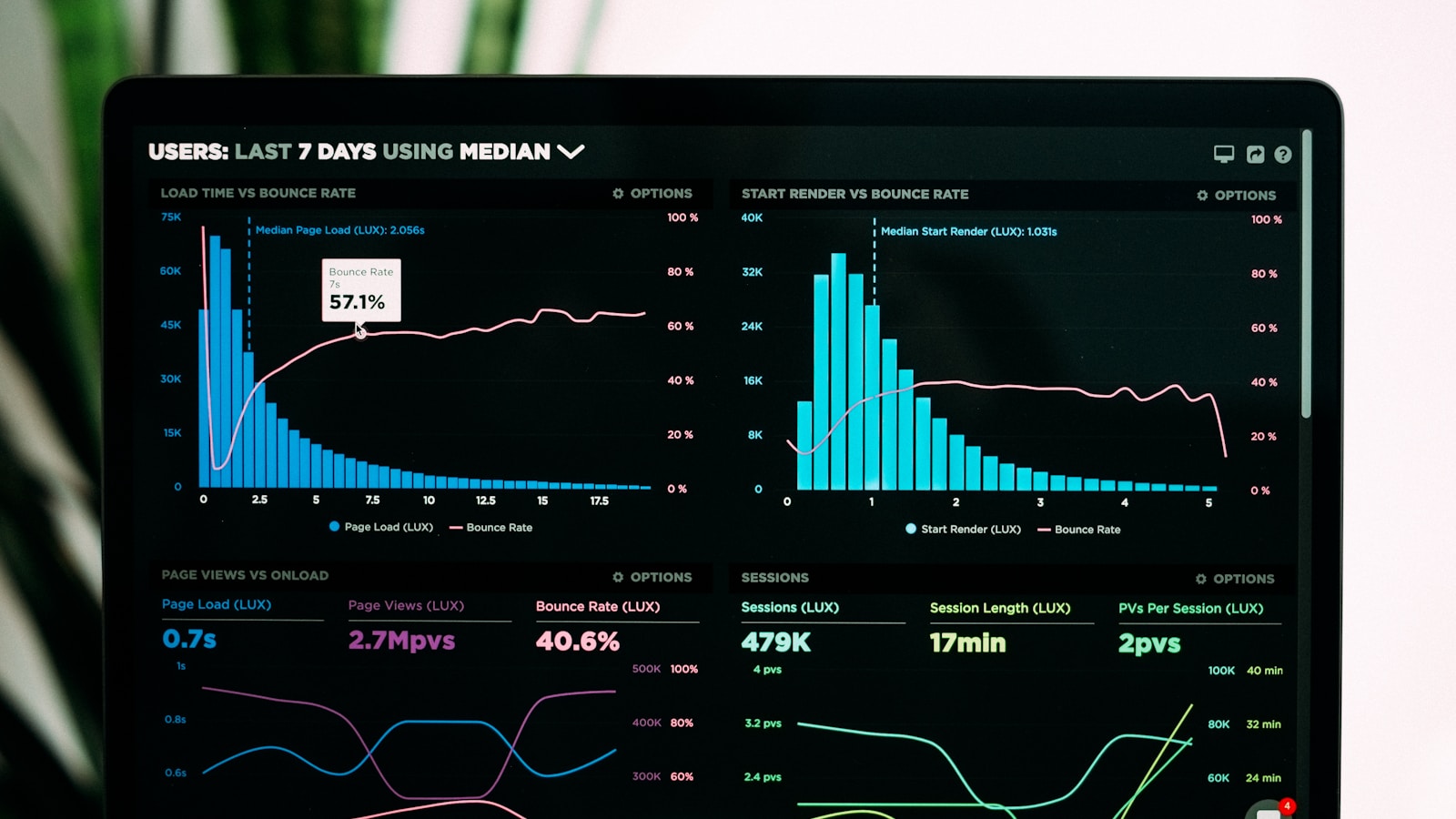
The Insights tab now defaults to a dashboard view built from the four new sections. Each section pulls the two or three most-used charts for that goal to the top: Reach shows impressions and click-through rate first; Engagement leads with average view duration and watch time; Audience with subscriber growth and demographics; Revenue with RPM, CPM and estimated earnings.
Visually, YouTube pushed the design system further toward the "Material 3 Expressive" language used across Google Workspace and Chrome, larger typography, more whitespace, softer chart palettes, and a persistent left-rail navigation replacing the top-tab layout that Studio has used since 2019.
What changed on desktop
Open studio.youtube.com and the biggest visible change is the left rail. Channel Dashboard, Content, Comments, Subtitles, and Monetization remain, but "Analytics" is now "Insights", and clicking into it lands you on the new dashboard rather than the old summary card.
- The top of Insights shows a summary strip: last 28 days performance, comparison to the prior period, and a one-line "channel status" ("Growing", "Steady", "Declining") based on view velocity.
- Below that, four cards, one per Reach/Engagement/Audience/Revenue section, with a mini chart and a "See full report" link.
- Advanced Mode still exists. It moved to the top-right corner as a button labeled "Explore" (with a compass icon) and reveals the older tabular report builder.
- The old "Research" tab (introduced 2022 for keyword and topic discovery) is folded into Insights → Reach as a sub-tab called Discover.
What changed on mobile (YouTube Studio app)
The mobile Studio app on iOS and Android received the same rename and a lighter redesign. The bottom navigation still has five tabs (Dashboard, Content, Insights, Comments, and a "You" avatar); Analytics simply became Insights.
The mobile Insights screen now leads with a swipeable card carousel. Reach → Engagement → Audience → Revenue, so creators can flick through the four buckets without scrolling. Tap any card to drill into the full-screen report.
Real-time views (the pulsing chart of the last 48 hours) are unchanged and remain at the top of the Dashboard tab, not inside Insights.
What changed on YouTube TV Studio
YouTube's Studio experience on smart TVs and consoles: the "living-room creator dashboard" that mostly reads out stats to creators mid-stream, inherited the new Insights label and a simplified two-column layout. There is no drill-down capability on TV; it remains a read-only dashboard for glanceable metrics.
How the new Insights groups your reports
Reports haven't disappeared: they've been reorganized. Below is where the most-used reports live now.
| Old location | Report | New location |
|---|---|---|
| Analytics → Overview | Views, watch time, subscribers snapshot | Insights → Dashboard strip |
| Analytics → Content | Impressions, click-through rate | Insights → Reach |
| Analytics → Content | Traffic sources | Insights → Reach |
| Analytics → Content | Average view duration | Insights → Engagement |
| Analytics → Audience | Returning vs new viewers | Insights → Audience |
| Analytics → Audience | Demographics, geography | Insights → Audience |
| Analytics → Revenue | Estimated earnings, RPM, CPM | Insights → Revenue |
| Analytics → Research | Keyword & topic discovery | Insights → Reach → Discover |
| Analytics → Advanced Mode | Custom pivot tables | Insights → Explore (top-right button) |
Timeline and rollout
The rollout started July 28, 2026 for a small percentage of channels and reaches every creator by August 30, 2026. Google has confirmed the order:
- July 28–August 5: channels with 100k+ subscribers and MCN-partner channels see Insights first.
- August 6–August 20: all monetized channels in the YouTube Partner Program.
- August 21–August 30: everyone else, including non-monetized channels.
There is no opt-out. If you don't yet see Insights in your Studio, you'll see it within the rollout window without doing anything.
What creators should actually do
Nothing urgent. This is a UI rearrangement, not a metric change, view counts, watch time, RPM, and every other number keeps its underlying definition. That said, a few small housekeeping tasks are worth doing:
- Rebuild any bookmarks pointing to
studio.youtube.com/…/analytics/…URLs. Redirects work today but may not forever. - Recreate any custom reports saved in the old Advanced Mode: they carry over automatically but appear inside Insights → Explore. Verify columns and filters look right after the migration.
- Screenshot your dashboard for reference if you compare month-over-month metrics visually. The default charts changed, and side-by-side comparison is easier if you have the old view saved.
- Retrain your team if you have editors or managers who use Studio. The new left-rail navigation and the Reach/Engagement/Audience/Revenue groupings take about ten minutes to internalize.
Also worth revisiting: internal dashboards or spreadsheets that pull data via the YouTube Analytics API. The API endpoints are unchanged, but if you scrape Studio directly (some tools do), you'll need to update selectors.
Creator reactions to the redesign
Reaction across the creator community has been mixed-positive. The r/NewTubers subreddit filled with "where did X move?" posts the day the rollout began, but by day three most threads had turned into cheat-sheet screenshots and reference maps. Two consistent complaints emerged:
- The new dashboard prioritizes the last 28 days and buries the "lifetime" comparison. Long-tail channels that publish evergreen content find that framing less useful.
- The Reach section groups impressions and impressions click-through rate under the same view. Creators who used to look at CTR in isolation (a critical thumbnail-testing metric) now have to scroll past two impression charts to reach it.
YouTube said via Creator Insider that both issues are on the roadmap for the next Insights update in Q4 2026: user-configurable default time ranges and a Pinnable Charts feature that pins a chart to the top of any Insights section.
Frequently asked questions
Is YouTube Analytics gone forever?
The name is gone; the reports are not. Every metric that lived in Analytics now lives in Insights. YouTube is emphatic that no data was lost and no report was retired.
Where did the old Overview tab go?
It became the top summary strip in Insights, plus the four dashboard cards. If you want the classic Overview chart, click Insights → Explore → Overview.
Do my old /analytics/ bookmarks still work?
Yes. YouTube 301-redirects every studio.youtube.com /analytics/… URL to the equivalent /insights/… URL. Update your bookmarks eventually but nothing breaks today.
Did any metric definitions change?
No. Watch time, average view duration, impressions, CTR, subscribers, RPM, CPM, estimated revenue, every metric uses the same calculation as before. Only the layout changed.
Will TubeBuddy, VidIQ and other extensions still work?
The YouTube Analytics API is untouched, so tools that pull data via API keep working without changes. Tools that scrape the Studio interface directly (rare) may need updates for the new DOM.
When will I see the new Insights in my account?
By August 30, 2026 at the latest. Larger channels (100k+ subscribers) got it first between July 28 and August 5; everyone else rolls out gradually through August.
Can I opt out and keep the old Analytics UI?
No. There is no opt-out. Once your account is included in the rollout, Insights replaces Analytics permanently.
Where is the Research tab I used for keyword discovery?
It's now Insights → Reach → Discover. The functionality is identical.
Sources
- Announcing YouTube Insights: the new home for your channel dataGoogle Support / YouTube Help
- YouTube renames Analytics to Insights in 2026 Studio redesignSocialBee
- YouTube Analytics API: referenceGoogle Developers
- Creator Insider: The new Insights walkthroughYouTube Creator Insider